Brand Name and Logo: Why They Matter for Your Website
Your brand name and logo shape first impressions online. Learn why they matter and how to fix outdated branding. Request a consultation today.
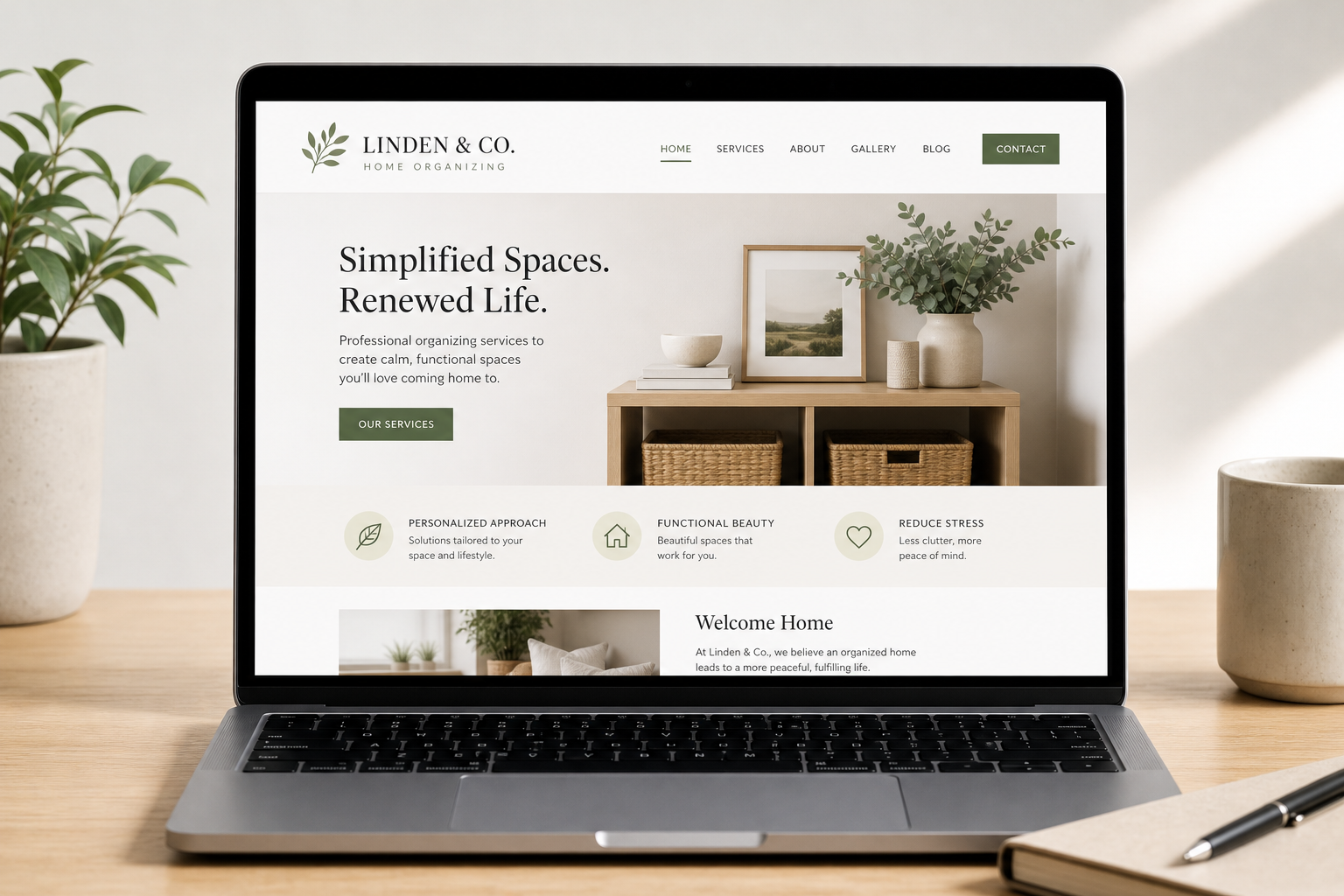
Your brand name and logo are usually the very first things a visitor notices when your small business website loads, and if those elements look outdated, mismatched, or hard to find, people may quietly wonder whether your business is even still open. For small businesses in Albany and the wider Capital Region, getting the brand name and logo right is not a minor design preference — it is a trust signal that decides whether someone calls, fills out a form, or clicks away within seconds. This guide goes further than most articles on the topic: it explains why your brand name and logo matter online, exactly where they belong on a website, how search engines and screen readers interpret them, what a refresh really costs, and how to fix common problems without necessarily rebuilding your entire site.
Quick answer: A brand name and logo need to be sharp, properly sized, and placed in predictable spots — the header, favicon, footer, social profiles, and search results snippet — so visitors instantly recognize and trust the business behind the site. In most cases, outdated or blurry branding is a repair-level fix, not a reason to rebuild the whole website.
What Is a Brand Name and Logo, and Why Does It Matter Online?
In practical terms, your brand name and logo is the pairing of the word mark customers read and the visual symbol they recognize. Together, they signal who you are before anyone reads a single sentence of your content. On a website, this pairing does double duty: it confirms identity, and it builds credibility within the first few seconds of a visit.
That first impression matters more than most owners realize. Researchers at Stanford University's web credibility studies found that a large share of users judge a company's trustworthiness primarily by how its website looks and feels, not by reading detailed content first. As a result, a stretched logo or mismatched business name can undo the trust that a strong offer or well-written copy would otherwise build.
Consequently, a clear brand name and logo act as a silent handshake. They tell a visitor, within a glance, "you are in the right place, and this business is active and professional." In contrast, inconsistent branding forces visitors to pause and second-guess that assumption — and a pause is often all it takes for someone to leave for a competitor's site instead.
A clear brand name and logo in the header helps visitors instantly confirm they are in the right place.
Choosing a Brand Name That Works on the Web
A strong business name does more than sound good out loud; it also needs to work as a search term, a domain name, and a header element that fits on a small mobile screen. For example, a name with awkward spacing or an unusual spelling can cause confusion when customers try to find your site later, especially when they are typing from memory on a phone keyboard.
Similarly, consistency matters just as much as spelling. If your business name appears one way on Google Maps, another way in your website footer, and a third way on your invoices, visitors and search engines alike may struggle to connect the dots. Above all, pick one version of your name and use it everywhere — your website, your listings, your social profiles, and your paperwork.
Common Brand Name Mistakes Small Businesses Make
Many small business owners unintentionally create friction by using a shortened nickname online while legal paperwork uses the full name, or by letting an old "DBA" name linger in the website footer years after rebranding. In addition, outdated contact pages sometimes still reference a prior business name after a merger or ownership change, which can quietly confuse returning customers searching for you again. Therefore, a quick audit of every page that mentions your name is worth doing at least once a year.
Logo Design Basics for Small Business Websites
A logo does not need to be elaborate to be effective. In fact, the simplest logos tend to scale best across a website header, a mobile menu icon, a favicon, and printed materials. Therefore, before adding complexity, ask whether the logo is still legible when shrunk down to the size of a browser tab icon.
Color and contrast matter too. A logo designed for a white background can disappear on a dark navigation bar, so most businesses need at least one alternate version for different backgrounds across their site. Specifically, the W3C Web Accessibility Initiative recommends sufficient color contrast so logos and text remain legible for visitors with low vision, which is a detail many small business sites overlook entirely.
File Formats and Technical Requirements
SVG, a scalable vector graphics format described in detail by MDN Web Docs, is generally the best format for a website logo because it stays sharp at any size without adding extra load time. When SVG is not available, a high-resolution PNG with a transparent background is a reasonable alternative. According to the general history of logo design documented on Wikipedia, logos have shifted from print-first symbols to formats specifically built for digital scaling, which is exactly why older logo files often look poor on modern screens.
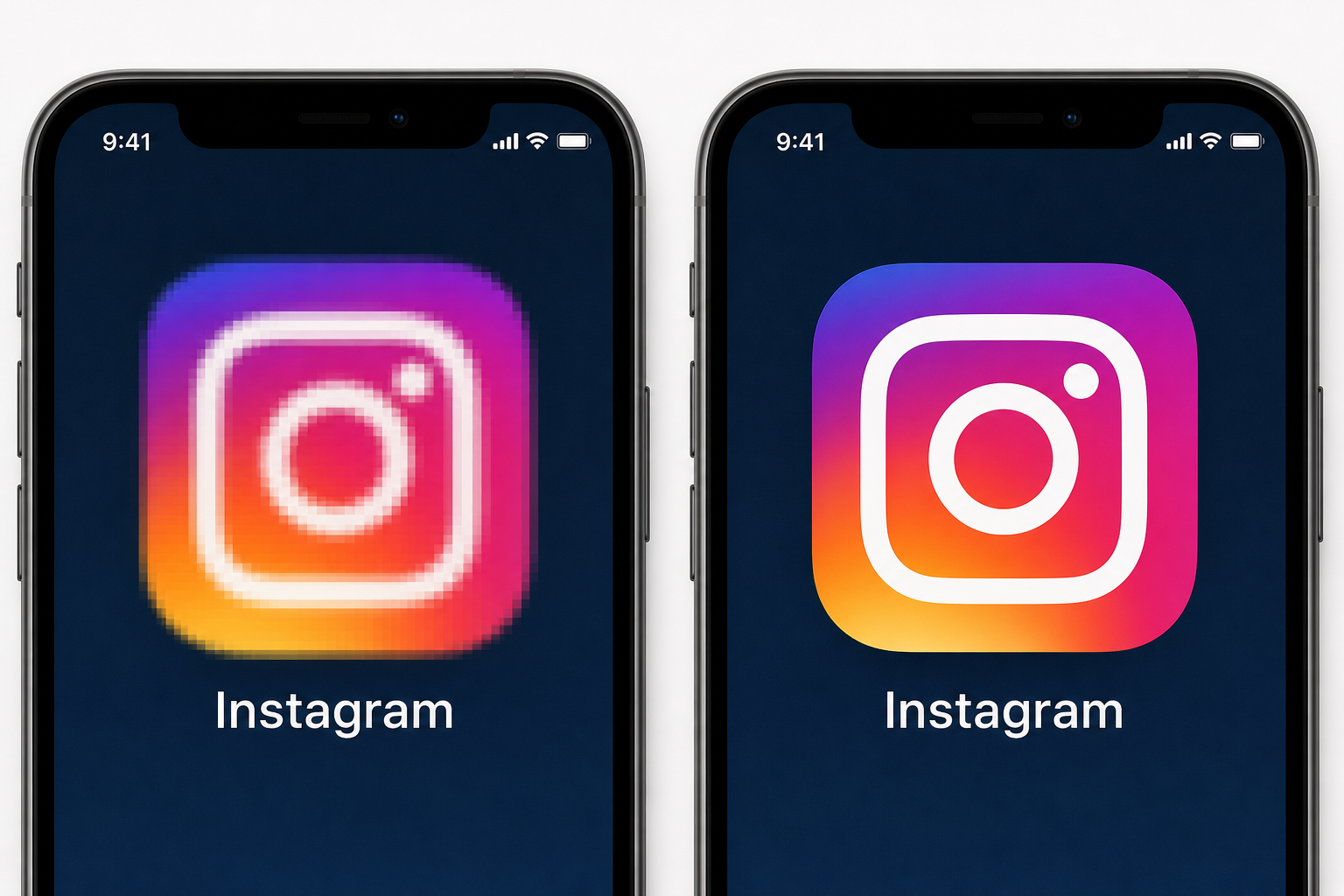
Low-resolution logo files often look fine on desktop but turn blurry on mobile screens.
Color Psychology and Contrast for Brand Name and Logo Visibility
Color is not just decoration — it carries meaning. Blue tones often read as trustworthy and professional, which is why many financial and medical practices lean on them, while warmer tones like orange and red tend to feel energetic and approachable. However, the specific color matters less than consistency: using the same palette across your header, footer, favicon, and social banners reinforces recognition every time a visitor sees your brand name and logo again.
Furthermore, dark mode browsing has made background flexibility a real technical requirement rather than a nice-to-have. A logo that only works on white risks becoming invisible or awkwardly boxed on devices set to dark themes, so testing both light and dark backgrounds before launch is a simple step that prevents an embarrassing surprise later.
Typography and Wordmark Considerations
If your brand name and logo is primarily a styled wordmark rather than an icon, font choice carries extra weight. A typeface that is trendy today can feel dated within a few years, so many small businesses choose a clean, timeless font paired with a distinctive color or small icon rather than chasing short-lived design trends. In addition, make sure the chosen font includes a licensed web version; a logo that renders correctly in a design file but falls back to a generic system font online can quietly weaken your brand's presentation.
Where Your Brand Name and Logo Should Appear Online
Visitors expect to find a business's identity in a few predictable places. Specifically, the brand name and logo should appear clearly in the website header on every page, in the browser favicon, in the footer near contact details, and in the page title that shows up in search engine results.
Beyond placement, the surrounding elements matter too. A sharp logo paired with a confusing or missing call-to-action still leaves visitors unsure what to do next. If your offer or next step feels unclear once visitors trust your identity, it is worth reviewing how to improve unclear calls-to-action on your site as a companion fix.
Social Media Profiles and Online Business Listings
Your website is rarely the only place people see your brand name and logo. Google Business Profile, Facebook, Instagram, and industry directories all display their own version of your identity, often cropped into a circle or square. As a result, icon-heavy logos tend to survive this cropping far better than wide, text-only wordmarks, which can get cut off awkwardly on profile images.
Similarly, mismatched business names across these listings can confuse both customers and search engines trying to confirm your identity is legitimate. A quick pass through your Google Business Profile, social accounts, and directory listings to match the spelling and logo used on your website is one of the highest-value, lowest-cost branding fixes available.
Email Signatures, Documents, and Printed Materials
Email signatures, invoices, and printed flyers are often the last place an outdated logo gets replaced, simply because they are easy to forget. However, a customer who receives an invoice with your old branding right after visiting your freshly updated website will notice the inconsistency immediately. Therefore, treat a logo update as a checklist that extends beyond the website itself.
How Search Engines and Screen Readers Interpret Your Brand Name and Logo
Search engines cannot literally "see" a logo image the way a human does. Instead, they rely on technical signals such as alt text, the page title tag, structured data, and the consistency of your business name across the web to confirm your identity. In particular, Google's own guidance on logo structured data explains how marking up your logo with schema helps it appear correctly in search results and knowledge panels.
For screen reader users, descriptive alt text on your logo image is not optional — it is how someone using assistive technology learns your brand name and logo even without seeing the image at all. A generic alt tag like "logo.png" tells a screen reader nothing useful, while a clear description that includes your business name communicates identity exactly the way a sighted visitor experiences it.
Consequently, a well-optimized brand name and logo does more than look good — it also strengthens how search engines categorize and trust your site, which can quietly support your broader SEO efforts over time.
How to Update an Outdated Brand Name and Logo Without a Full Rebuild
Fortunately, updating a tired logo or mismatched business name rarely requires tearing down an entire website. In most cases, it is a contained, well-scoped repair. Here is the general process a careful update should follow, step by step.
- Back up the current site. Create a complete backup of every file and database table before making any changes, so the existing pages can be restored instantly if anything goes wrong during the update process.
- Confirm the scope in writing. Agree in writing on exactly which elements will change, such as the header logo, browser favicon, or footer name, so expectations stay clear on both sides before work begins.
- Replace logo files in the right formats. Upload a scalable SVG or high-resolution PNG file in the correct dimensions so the brand name and logo renders sharply across every screen size, from mobile phones to widescreen monitors.
- Test across devices and browsers. Check sizing, alignment, color contrast, and load speed on desktop, tablet, and mobile browsers before calling the work finished, since a logo that looks right on one device can break on another.
- Review a before-and-after summary. Compare the original and updated site side by side so the business owner can review every modification and approve everything before the new brand name and logo goes live publicly.
Notably, this is the same structured approach used in a scoped repair engagement rather than an open-ended project, which keeps costs predictable and timelines short.
Common Mistakes When Updating Your Logo or Brand Identity Online
One frequent mistake is uploading a new logo without resizing it for the favicon, leaving a generic gray square in the browser tab. Another is updating the header but forgetting the footer, which leaves two different versions of the brand name and logo visible on the same page. Finally, some businesses skip testing on mobile entirely, only to discover the logo overlaps the navigation menu on smaller screens.
Mobile Screens and Dark Mode: Extra Checks Before You Launch
Beyond basic resizing, modern browsing habits add a few extra checks. Many visitors now browse with their operating system set to dark mode, so it is worth confirming your logo has a version that holds up against a dark navigation bar rather than just a white one. Likewise, mobile headers often compress a full wordmark logo down to a smaller icon-only version to save space — if that icon version was never created, a cramped, illegible logo is often the result on smaller screens.
DIY vs. Professional Logo Design: What a Refresh Really Costs
Some business owners attempt a quick DIY logo using free online generator tools. This can work for a true startup on a shoestring budget, but it often produces a generic mark that looks similar to thousands of other small businesses using the same template. In contrast, a professionally designed brand name and logo is built around your specific business, industry, and audience, which tends to age better and stand out more clearly against local competitors.
However, not every business needs a brand-new logo concept from scratch. If your existing mark is fundamentally sound and the real problem is file quality, sizing, or placement, a technical repair costs far less than a full redesign and can often be completed in a single scoped session rather than a multi-week project.
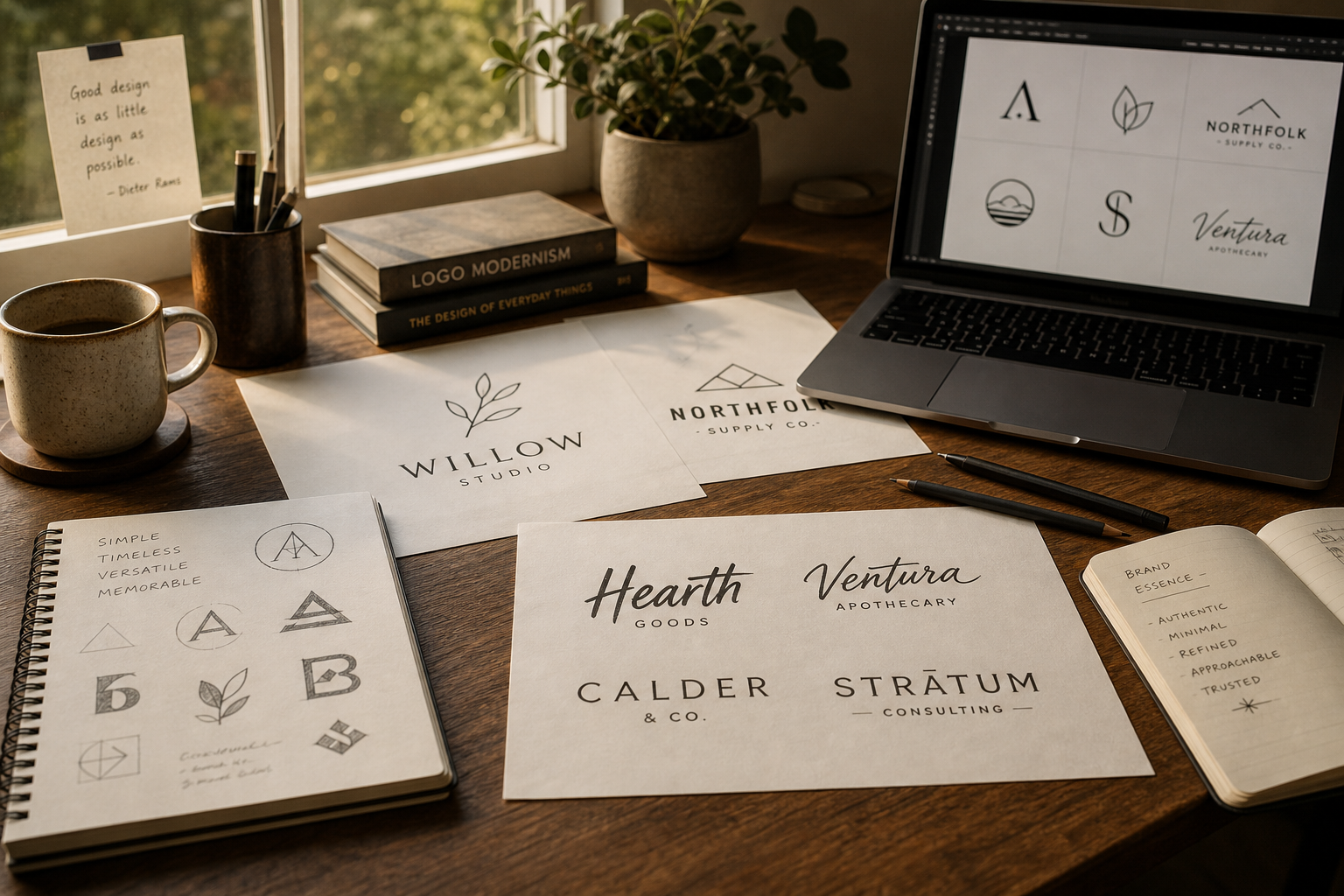
Early brand name and logo concepts often start on paper before moving into digital files.
When to Repair vs. When to Rebuild Your Brand Presentation
Not every branding problem calls for a brand-new website. If your current site structure is sound and the issue is limited to a blurry logo file, an outdated business name in the footer, or a missing favicon, a scoped repair is usually enough. JMB Creative's Website Rescue service is built for exactly this kind of focused fix, covering up to five agreed changes for a flat $495 within a standard half-day scope, with a backup taken before any change and a before-and-after summary provided before anything goes live.
On the other hand, if your brand name and logo are only one symptom of a much larger problem — an unresponsive layout, no working contact form, or a site that simply cannot support growth — a full rebuild may serve you better. In that case, custom website design is scoped and quoted separately so the repair offer is never stretched beyond what it was built to cover. Businesses considering an online store should also review ecommerce website design options, since product pages add extra branding touchpoints a simple repair cannot address.
If you are still unsure which path fits, the comparison in choosing the best website repair service for small businesses in Albany walks through the decision in more detail, and examples of completed projects are available to review in past client work.
Protecting Your Brand Name Beyond the Website
Once a brand name and logo are finalized, it is worth checking whether the name is already in use elsewhere. The United States Patent and Trademark Office provides free guidance on searching existing trademarks before a business invests heavily in signage, packaging, or a website built around a specific name.
In addition, this kind of due diligence protects the investment you are about to make in logo files, domain names, and marketing materials. Skipping this step can lead to costly rebranding later if a naming conflict surfaces, sometimes years after the business has already built local recognition under the original name.
Warning Signs Your Current Branding Is Costing You Customers
Sometimes the clearest evidence is anecdotal. For instance, if customers have asked "are you still in business?" or mentioned confusion about which company they are dealing with, that is a direct signal worth acting on quickly. Similarly, a noticeably higher bounce rate on your homepage compared to interior pages can point to a first-impression problem rather than a content problem.
- Your logo looks pixelated or stretched on certain pages or devices.
- Your business name is spelled differently across your website, Google listing, and invoices.
- Your favicon still shows a generic browser icon instead of your logo.
- Competitors in your area have refreshed their branding and now look noticeably more current.
If two or more of these sound familiar, your brand name and logo have likely moved from a minor cosmetic issue to an active drag on conversions, and addressing it sooner tends to cost less than waiting.
Frequently Asked Questions About Brand Name and Logo
What is the difference between a brand name and a logo?
A brand name is the word or phrase customers say and read to identify your business, while a logo is the visual mark or stylized wordmark built around that name. Together, your brand name and logo form the identity visitors recognize across your website, signage, and marketing.
Why does my logo look blurry on my website?
A blurry logo usually means a low-resolution file, such as a small JPEG, was used instead of a scalable SVG or high-resolution PNG. Mobile and retina screens reveal pixelation quickly, so a file that looked fine years ago can appear fuzzy today.
How much does it cost to add a new logo to an existing website?
Swapping a logo file and resizing it across the header, favicon, and footer is a small, well-defined task that often fits a flat-rate repair scope. JMB Creative's Website Rescue covers fixes like this for a flat $495 within an agreed set of changes.
How long does it take to update a brand name and logo on a website?
A straightforward update across the header, footer, and favicon typically takes a few hours once a backup is ready and the correct file formats are in hand. Larger rebranding projects that change colors, fonts, and layouts take considerably longer and are scoped separately.
Can I change my logo without rebuilding my entire website?
Yes, in most cases a logo swap is a contained edit rather than a reason to rebuild. As long as the underlying site structure works, updating the brand name and logo files is a repair-level task, not a full redesign.
What file format should I use for my logo online?
SVG is generally the best choice because it scales sharply at any size without adding file weight. PNG with a transparent background is a solid alternative when SVG is not available.
Do I need a favicon if I already have a logo?
Yes, a favicon is a simplified version of your logo shown in browser tabs and bookmarks, and it is frequently overlooked. Many small business sites still display a generic icon because the favicon was never updated to match the current branding.
What are common mistakes businesses make with their brand name and logo online?
Common mistakes include stretching a logo out of proportion, using a low-resolution file, and letting the business name in the footer fall out of sync with the current brand. These small inconsistencies quietly undermine visitor trust over time.
Should my logo look the same on mobile as on desktop?
Your logo should stay recognizable on both, but it does not need to be identical in every detail. Many businesses use a simplified icon version on mobile headers to save space while keeping the full logo on desktop.
How do I know if my current logo is hurting my credibility?
Warning signs include a pixelated or stretched image, a logo that no longer matches your current business name, or a mark that looks noticeably dated compared to competitors. If visitors have mentioned confusion about who you are, that is worth addressing soon.
Can JMB Creative update my logo as part of a Website Rescue?
Yes, a logo file swap, favicon update, or header resizing fits well within the agreed fixes covered by a Website Rescue engagement. Anything beyond the written scope, such as designing a brand-new logo from scratch, is discussed and quoted separately first.
What is the difference between a logo refresh and a full rebrand?
A logo refresh updates the existing mark's file quality, proportions, or minor styling while keeping the core identity intact. A full rebrand changes the brand name and logo concept itself, along with colors, messaging, and often the entire website.
Where should my brand name and logo appear on my website?
Your brand name and logo should appear in the header on every page, in the browser favicon, in the footer, and in the page title that shows up in search results. Consistent placement across these spots helps visitors confirm they are in the right place.
Do I need to trademark my brand name before using it online?
Trademark registration is a legal decision separate from web design, but it is worth researching before investing heavily in a brand name and logo. The United States Patent and Trademark Office offers guidance on checking for conflicts and registering a mark.
How often should a small business update its logo?
There is no fixed schedule, but many small businesses revisit their logo every five to ten years or when the file quality no longer holds up on modern screens. Updating sooner makes sense if the current mark no longer reflects the business or looks outdated.
Does my brand name and logo affect my SEO rankings?
Indirectly, yes. A consistent brand name and logo across your website, Google Business Profile, and directories helps search engines confirm your identity, while descriptive alt text on the logo image supports accessibility and relevance signals. It will not replace core SEO work, but it removes small friction points that can hold a site back.
What size should my logo be for a website header?
Most website headers display a logo somewhere between 150 and 300 pixels wide, though the exact size depends on your layout and whether the logo is a wordmark or an icon. The more important factor is using a vector or high-resolution file so it stays crisp regardless of the display size chosen.
Final Thoughts on Your Brand Name and Logo
In the end, your brand name and logo are small details with an outsized effect on how visitors judge your business within seconds. A sharp file, consistent placement, and a name that matches across every page build trust before a single word of content is read. Meanwhile, outdated or mismatched branding quietly chips away at that same trust, often without the business owner noticing until a customer mentions it.
If your current logo looks blurry, your business name has changed since the site was built, or your favicon still shows a generic icon, that is usually a repair-level fix rather than a reason to start over. For small businesses across Albany and the Capital Region, a scoped Website Rescue can resolve these issues directly, while a full custom website remains available for cases where the brand name and logo are just one symptom of a larger problem. Either way, getting your brand name and logo right is one of the simplest, highest-impact changes a small business website can make.
